Accessible WYSIWYG editors part 1 - The problem
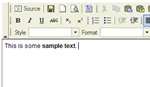 There is an elephant in the corner type of problem in the accessibility world, even worse than the problems with PDFs. I'd like to outline this problem, and define what a solution would be, even if it doesn't exist yet.
The problem is with the applications used for editing web content by non-technical authors. Often these are WYSIWYG (What you see is what you get) editors, that provide a Microsoft Word style editor for editing content. No matter how good a site is to start with, if the editor does not produce accessible code it will degrade at every edit.
I'm not covering editors such as Dreamweaver, or even Frontpage, used at the development stage. Roberto Scano covers WYSIWYG (or rather "What You See Is What Only You See") well in "A Journey Through Accessibility".
Just assume for the purpose of this article that a site has been set up perfectly, and is updated by non-technical people using a Content Management System (CMS).
Accessible and usable editor
The elephant in the corner, the big problem is that: It is not possible to create an accessible and usable web-based editor.
To qualify that statement, the assumptions are:
- You want a browser based editor so you can edit from anywhere, possibly on different platforms.
- Non-technical people need an easy to use web editor, that includes styling text, and adding items like images and tables.
- You want to produce accessible code that follows the web content accessibility guidelines (WCAG).
- The editor itself should be accessible, following the authoring tool accessibility guidelines (ATAG).
That seems a reasonable list of assumptions, right?
The problem is that WCAG (version 1) demands that sites should work without scripts or pluggins. You can't do WYSIWYG without JavaScript (or another script/pluggin) because that functionality requires 'behaviour'.
One of the standards triumvirates is: structure (including content), style, and behaviour. WCAG version one has several top priority checkpoints that require a site should 'work' without style or behaviour, relying on structure and back-end processes.
So what do you do?
There are some seemingly reasonable solutions, such as falling back to a wiki style edit area.
I am a big fan of wikis, for certain uses. However, a typical client with a business or part of a government organisation is not going to learn the markup. I find it straightforward, but links, images and tables just scupper this approach for most people. Some examples of formatting on Wikipedia:
Link to Google: [http://www.google.com/ Google search engine] Inserting an image: [[Image:filename.png]] A four cell table:
{| border="1" cellspacing="0" cellpadding="5" align="center"
! This
! is
|-
| a
| table
|-
|}
Using a wiki style editor just isn't as usable as a WYSIWYG editor (it would be very easy to prove with time-taken and error rate usability tests). You have to remember the syntax rather than just selecting something (e.g. "heading"), and you would probably have to go elsewhere to upload an image, remember it's name and location, and type it in. On a simple site with a technical user group, that might not matter, but for a client it does.
As part of our CMS development, we decided to default to the WYSIWYG text editor by default, and unhide the text editor if a client wanted it. That hasn't happened yet.
One of our clients is the British Computer Association of the Blind, and still no requests for the text editor. There are some aspects of our editor that needed overhauling for screen readers, but sighted or not we use one editor for all as it is the most usable option for all.
Technically inaccessible, but best solution?
We could set up the fall back text-based editor for a client, but it is unlikely to come up. The WYSIWYG editor we use isn't perfect, but it's the best option.
The part of the update to WCAG I was looking forward to was the ability to say for a particular web application that "this uses JavaScript, but is accessible for people with disabilities". How screen readers deal with JavaScript needs investigation, but use of JavaScript doesn't necessarily affect people with disabilities, when done well.
What is the perfect (accessible) WYSIWYG editor?
There is a long list of requirements, in WYSIWYG editor spec, I will outline the requirements for a usable, accessible editor (code output, keyboard accessibility etc.).
Later posts will compare several of the popular browser-based editors against the requirements.
- ← Previous
Internet Explorer bashing - Next →
WYSIWYG editor spec - Overview